Read a whole codebase, one zoom level at a time.
Point Parse at a project folder. It explains all of it at four depths, each opened from the one above, for code you didn’t write or wrote too fast.
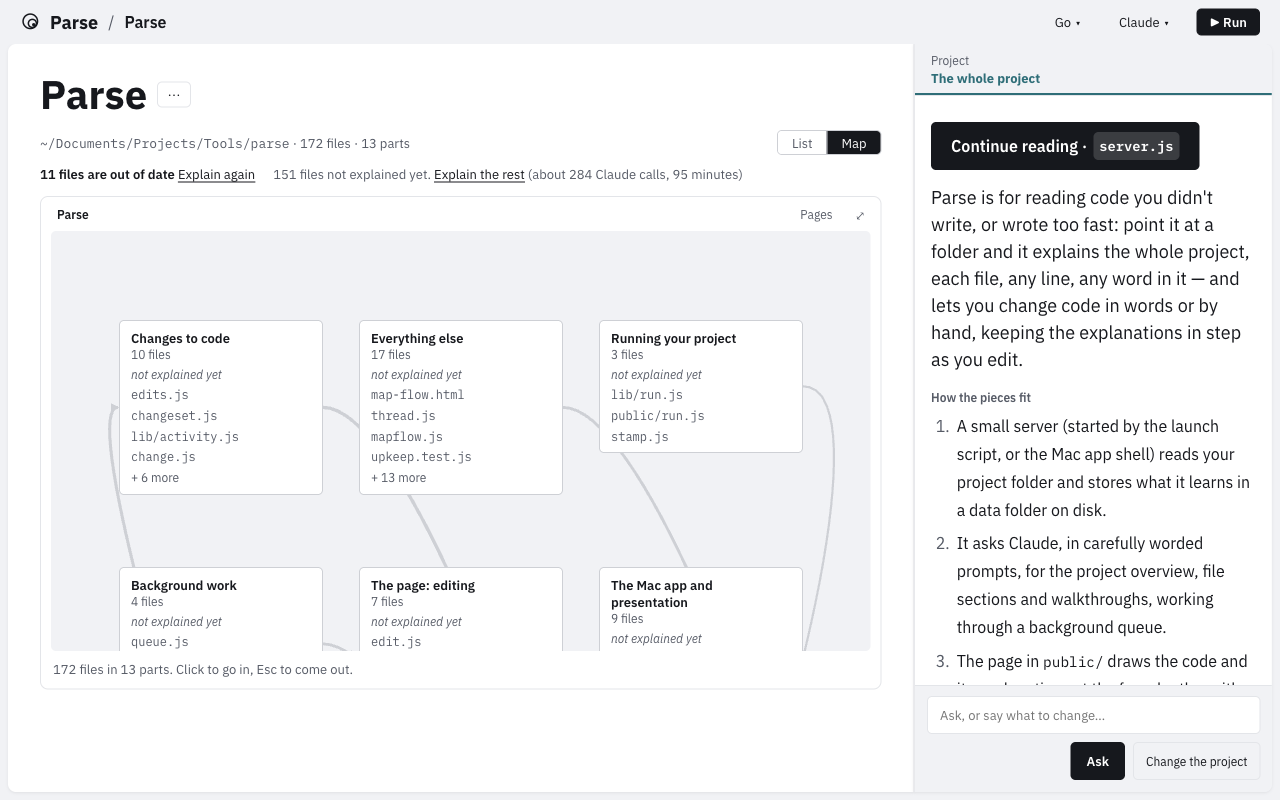
Four depths
- 1
The project
What it is, how the files fit together, where to start reading. Drawn as a map you can zoom into.
- 2
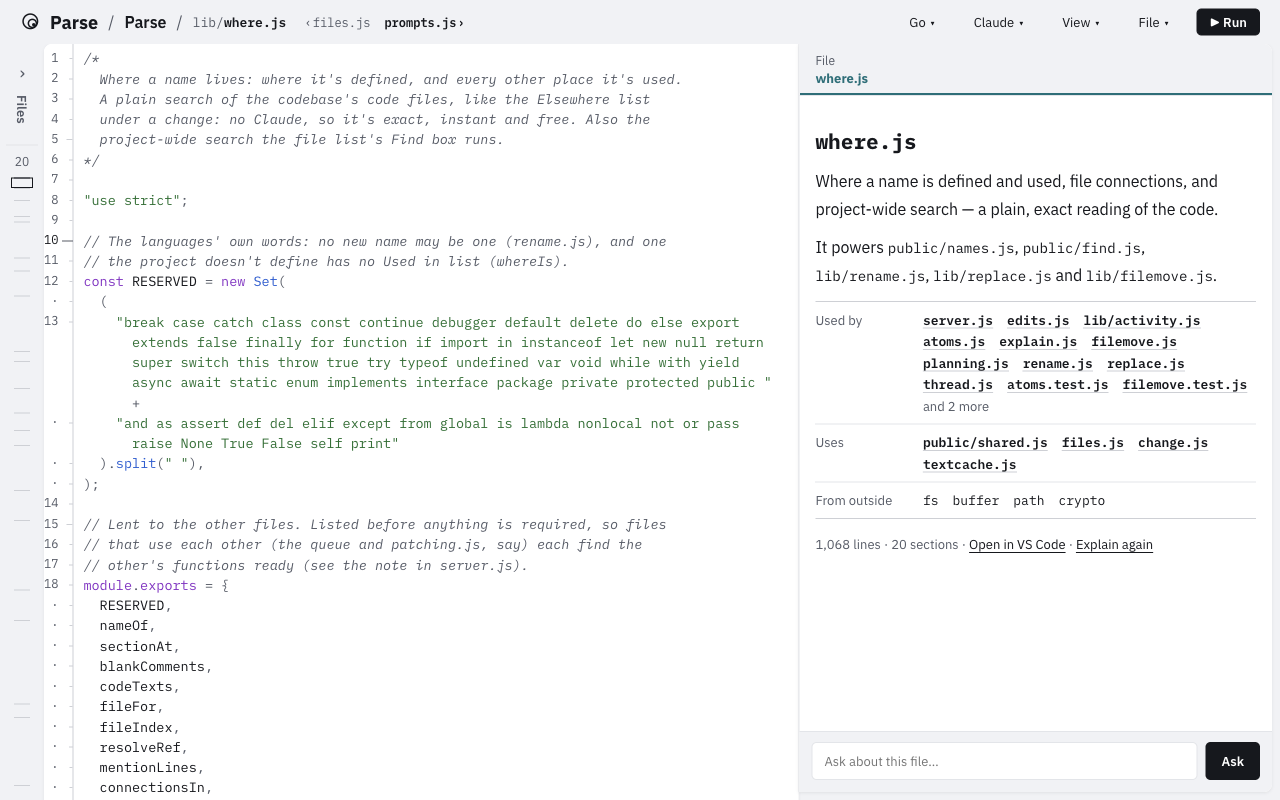
A file
The whole file’s code with its sections marked on it. Each section says what it’s for, what happens step by step, and why.
- 3
A line
Put the cursor on a line, or select a few, and press Explain: what it does, how it serves its section, and the pieces on it.
- 4
A piece
Pick a keyword, a name, an operator: what it is in general, what it does here, and the other options when it’s one pick from a standard set.
More than reading
Ask at every depth
The box under the explanation asks about whatever you’re looking at, so the answer knows where you are.
Change code in words or by hand
Claude writes a change for you to look over, and nothing is saved until you click Apply. Or just type: every file is its own editor, and the notes stay in step.
Follow the code
Follow a name through the project, show only one function, rename, search and replace, and git marks. These are plain readings of the code, so they cost no Claude calls.
Run it
Start a project from inside Parse when it can see how: a package.json script, a site, a Python or Node file.
What you need to know
- It needs Claude Code, installed and signed in. Parse uses your own Claude to write the explanations. To check: run
echo hi | claude -pin Terminal. - Your code is sent to Anthropic to be explained, like any use of Claude Code. If you turn on the optional backup provider (another company’s server), it’s sent there instead. Parse never switches on its own.
- Everything else stays on your Mac. Parse runs on your computer only. Its notes are saved in
~/.parse/, and there’s no account and no tracking. - Mac with Apple Silicon only for now. Up to 250 files per project.
- Try it without a folder: “Try a sample project” on the opening screen.